In stock

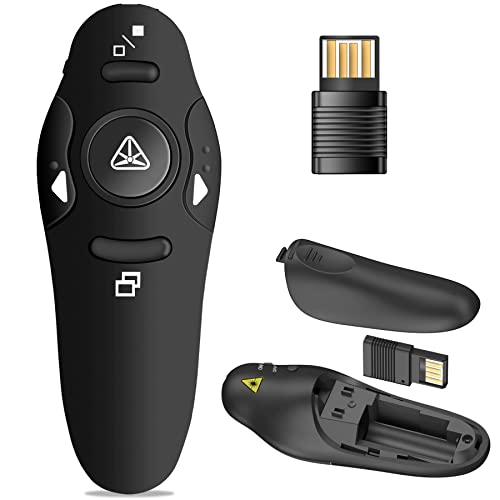
ZRZLMVP Presentation Clicker - Wireless PowerPoint Clicker Presentation Pointer, 2.4GHz USB Presenter Clicker Remote, PPT Pointer Clicker Slide Advancer for Mac, PC, Laptop

£13.99

BUY NOW
Category: Presentation Remotes

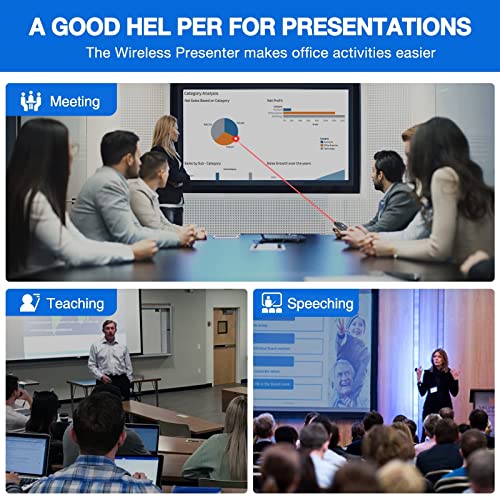
  • Introducing the ZRZLMVP Wireless PowerPoint Presentation Clicker – your ultimate companion for engaging and seamless presentations. Designed with the modern presenter in mind, this versatile clicker allows you to effortlessly navigate through slides, switch between windows, and even activate a striking red pointer to highlight key points. With a wireless range of up to 50 feet for slide control and an impressive 328 feet for the red pointer, you can interact with your audience without being tethered to your laptop.
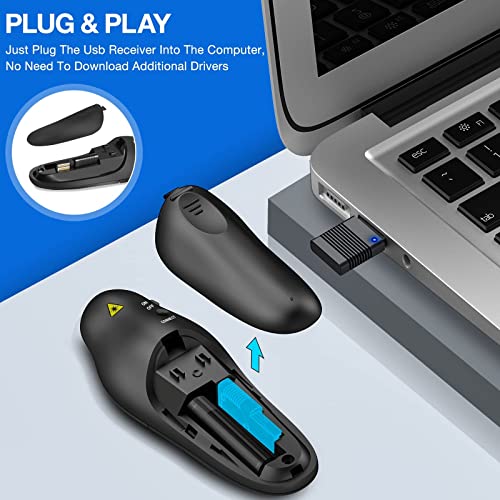
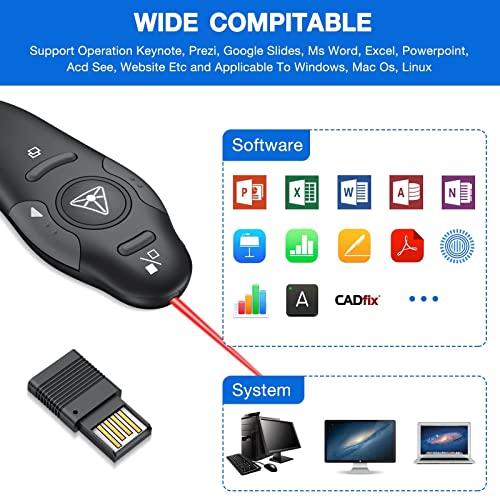
  • This plug-and-play device requires no complicated software installation, making it incredibly user-friendly. Simply insert the USB receiver, which conveniently stores under the battery cover, and you’re ready to go. One AAA battery (not included) powers the clicker, ensuring you won’t be caught off guard during an important presentation. Compatible with a wide array of platforms including Windows, Mac OS, Linux, and Android, this clicker is perfect for PowerPoint, Prezi, Google Slides, and more.
  • Crafted from eco-friendly ABS plastic and ergonomically designed for comfort, the ZRZLMVP clicker is not only practical but also stylish and easy to carry. Whether you're presenting in a large conference hall or a small meeting room, this clicker will elevate your presentation game. Plus, it has a fun added benefit – the bright red light can double as a playful toy for your pets!
  • Enhance your presentation skills and make a lasting impression with the ZRZLMVP Wireless PowerPoint Presentation Clicker. Get yours today and experience the difference!

Read More

Frequently Asked Questions

Popular questions and answers about this product

What devices is the ZRZLMVP clicker compatible with?

The ZRZLMVP clicker is compatible with a range of devices, including Windows (2003/XP/Vista/7/8/10/11), Mac OS, Linux, Android, and works seamlessly with popular software like PowerPoint, Google Slides, and Prezi.

How do I install the USB receiver?

Installing the USB receiver is straightforward. Simply plug it into your laptop's USB port, and it will automatically be detected. For Mac users, you may need to select between the 101 or 104 keyboard option that appears.

Can I use the clicker in a large venue?

Absolutely! The ZRZLMVP clicker has a wireless range of up to 50 feet for slide control and an impressive 328 feet for the red pointer, making it perfect for large venues.

What battery does the clicker require?

The ZRZLMVP clicker requires one AAA battery to operate, which is not included in the package. Make sure to have one handy before your presentation!

Can the red pointer be kept on continuously?

Yes! Simply press and hold the CONNECT button on the back of the presenter to keep the red pointer on continuously, allowing for effective highlighting during your presentation.

Is the ZRZLMVP clicker easy to carry?

Definitely! Its compact design makes it easy to store in a suit pocket or briefcase, ensuring you can take it anywhere without hassle.